Monitor O&M
OTA Upgrade
Add Firmware
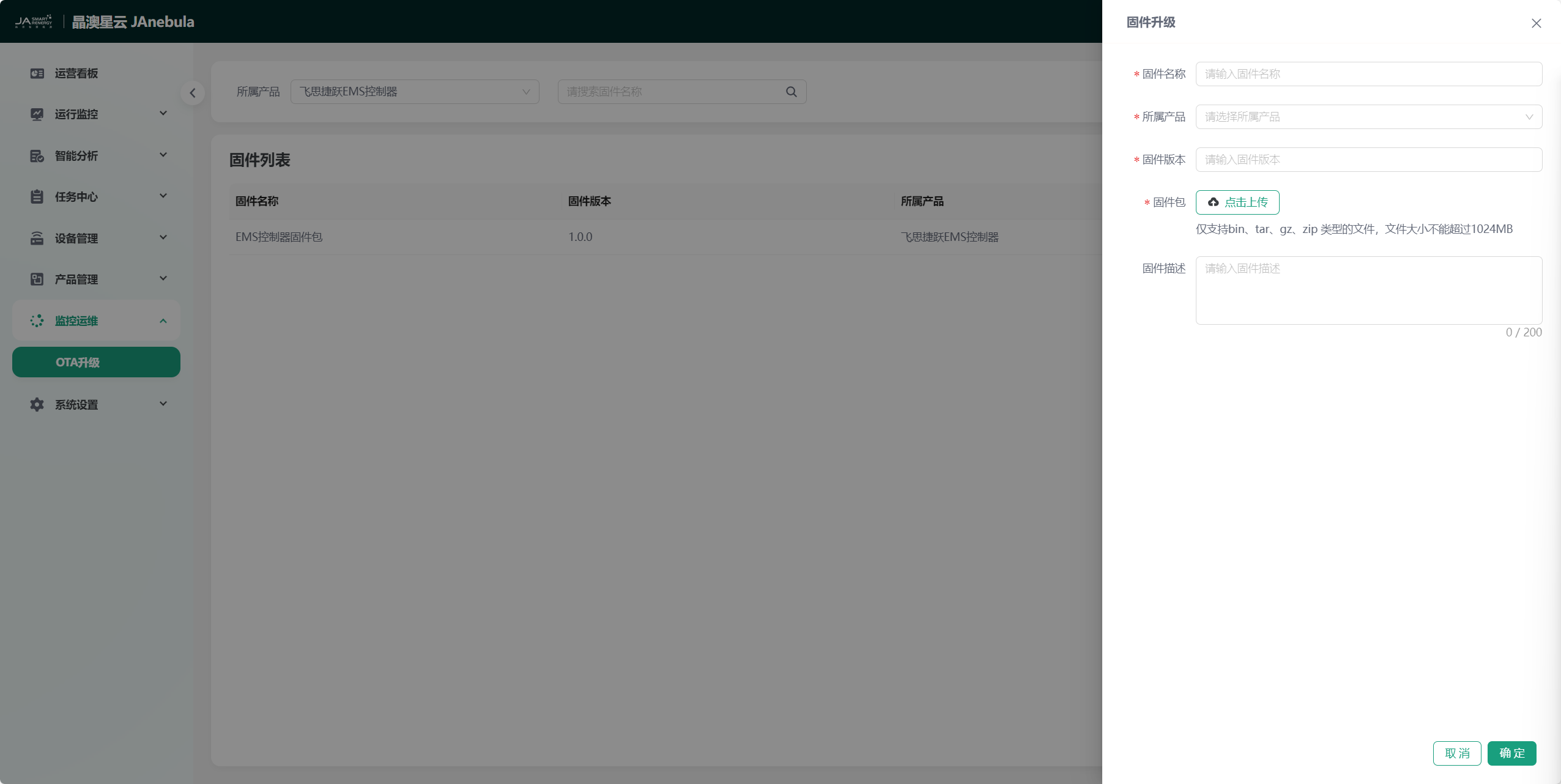
Click the "Add Firmware" button to open the firmware addition side frame. You can fill in the firmware information and upload the firmware according to the prompts.
Firmware Information Display
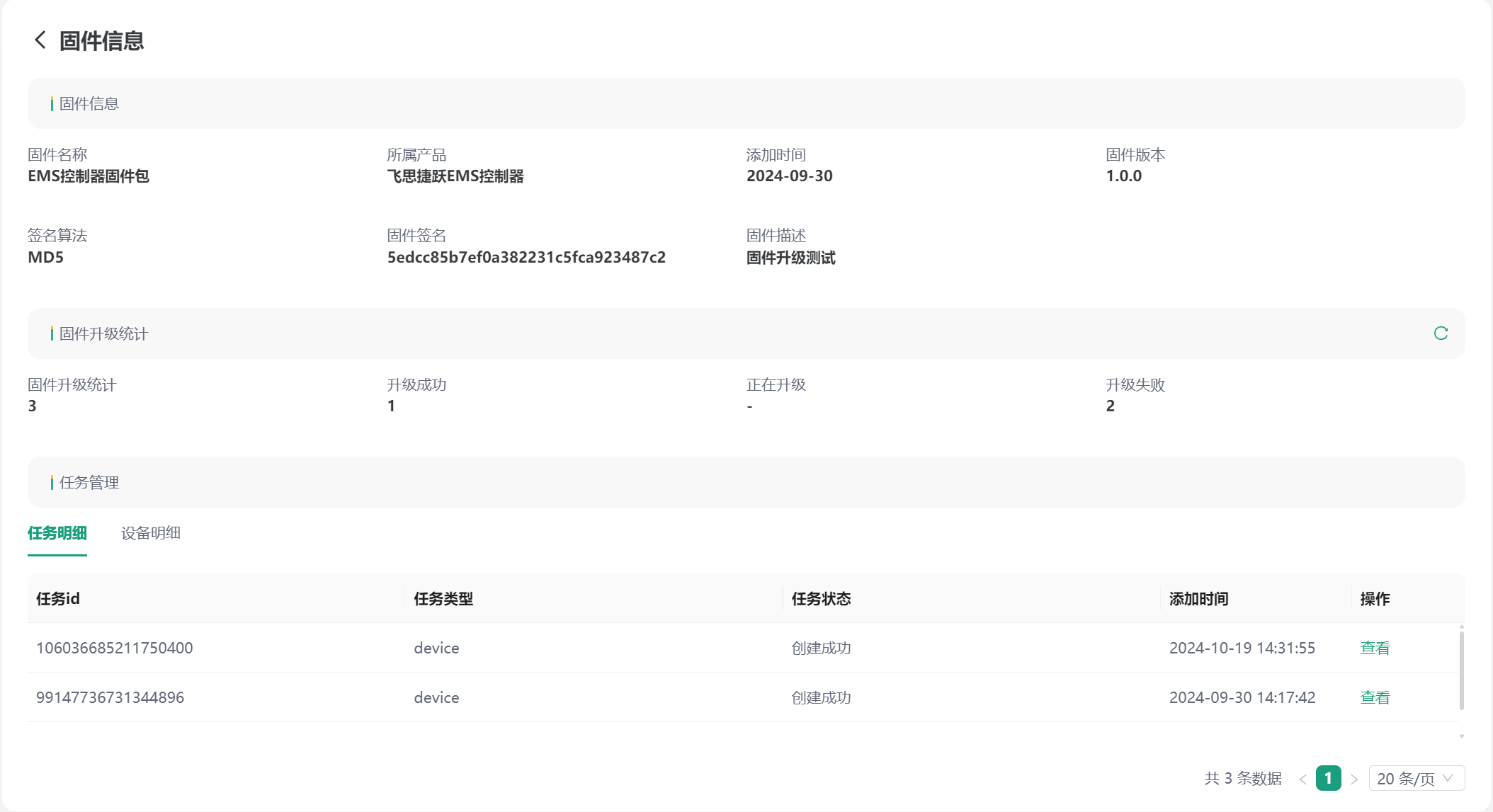
The firmware list displays all the firmware information you uploaded in detail, including firmware name, version, product, upload time, etc. You can click the "View" button of a firmware to enter the detailed information view of the firmware. This page displays the firmware information, upgrade records, and upgrade task management of the firmware in more detail.
Firmware Upgrade
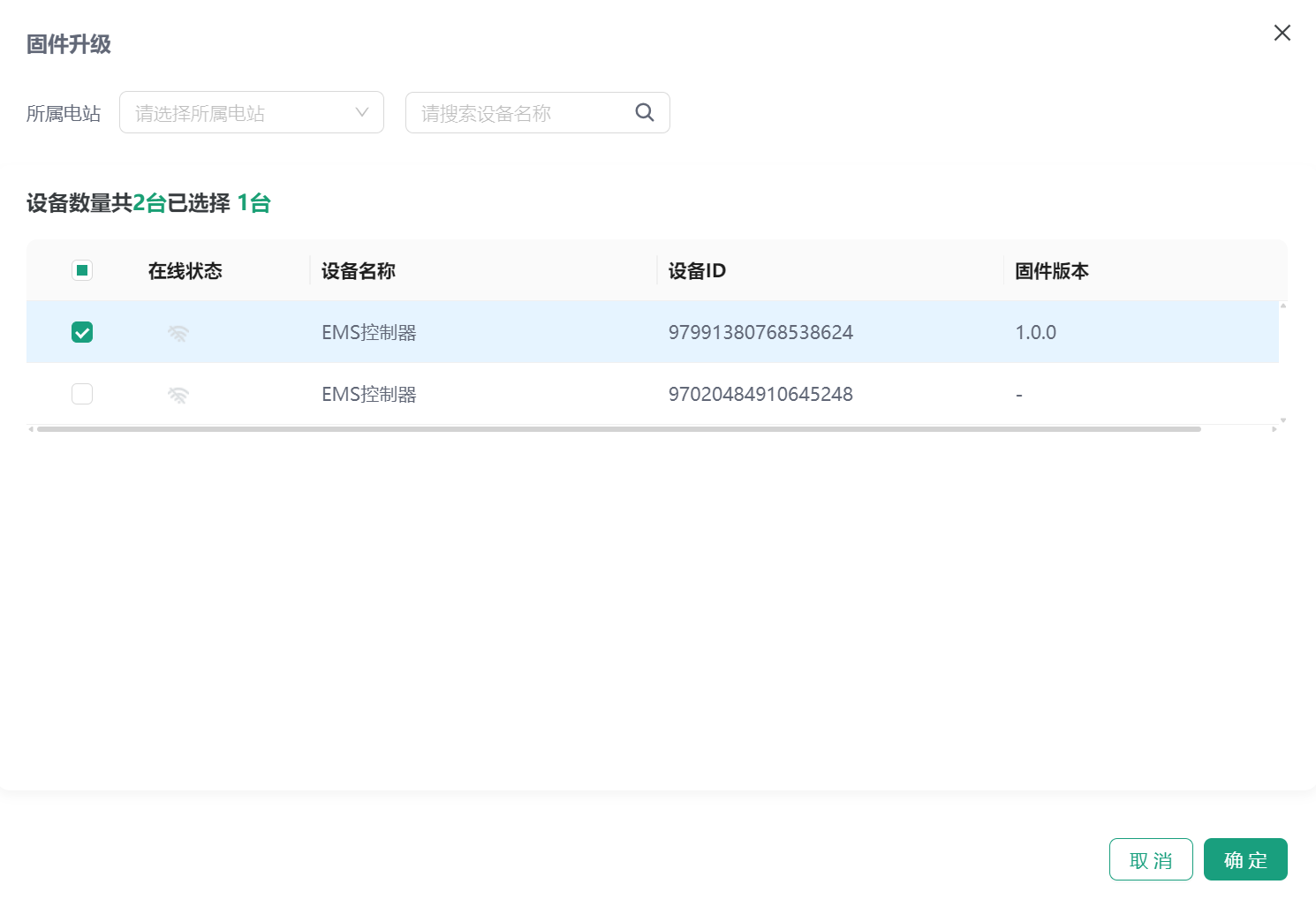
Select the firmware to be upgraded in the firmware list, click "Firmware Upgrade" to open the firmware upgrade window, and select the devices to be upgraded. When there are too many devices, you can also filter devices by the station to which the device belongs or the device name. Check the devices to be upgraded and click the "Confirm" button to start the firmware upgrade.
Firmware Upgrade Status Query
You can select the upgraded firmware in the firmware list to view it, enter the firmware information page, click "View" in the firmware task details, enter the task details to view the firmware upgrade status query, or directly view the firmware upgrade status of a device in the device details.
Firmware Delete
Select the firmware to be deleted in the firmware list and click the "Delete" button to delete the firmware.