How to add a device
Before adding a device, you should first add each node of the station. Devices can only be built under grid connection points or units.
Add Grid Connection Point
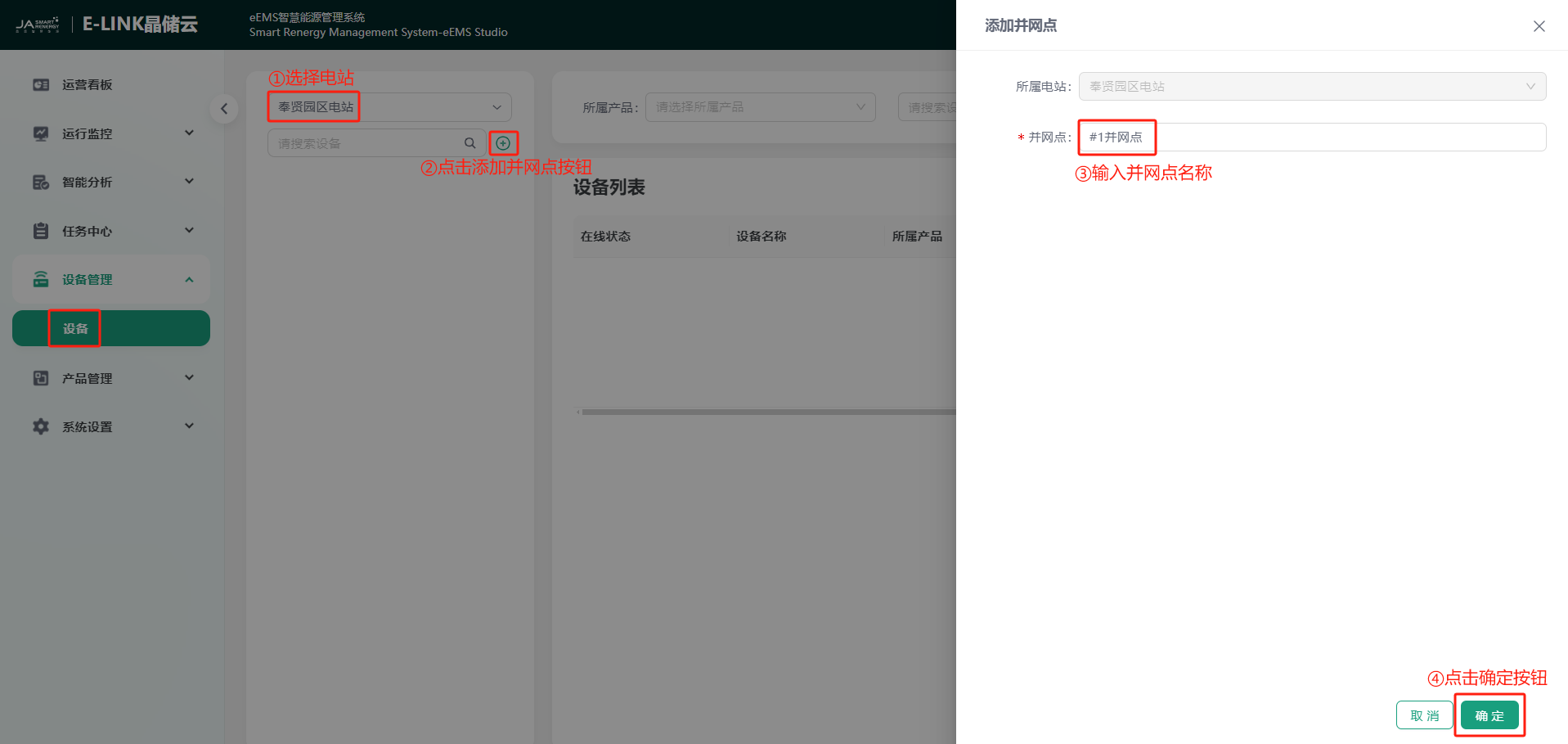
You can click "Device Management" -> "Device" step by step to enter the device management page. Click the icon in the station selection bar to select the station where the device is to be added. After selection, click  to add a grid connection point. In the pop-up "Add Grid Connection Point" page, enter the grid connection point name and click the "Confirm" button to complete the grid connection point addition. As shown in the figure:
Add Unit
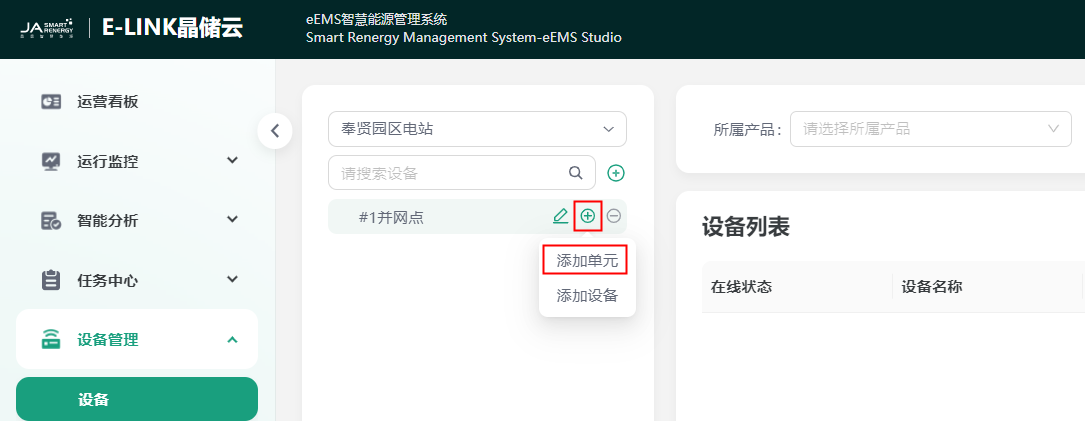
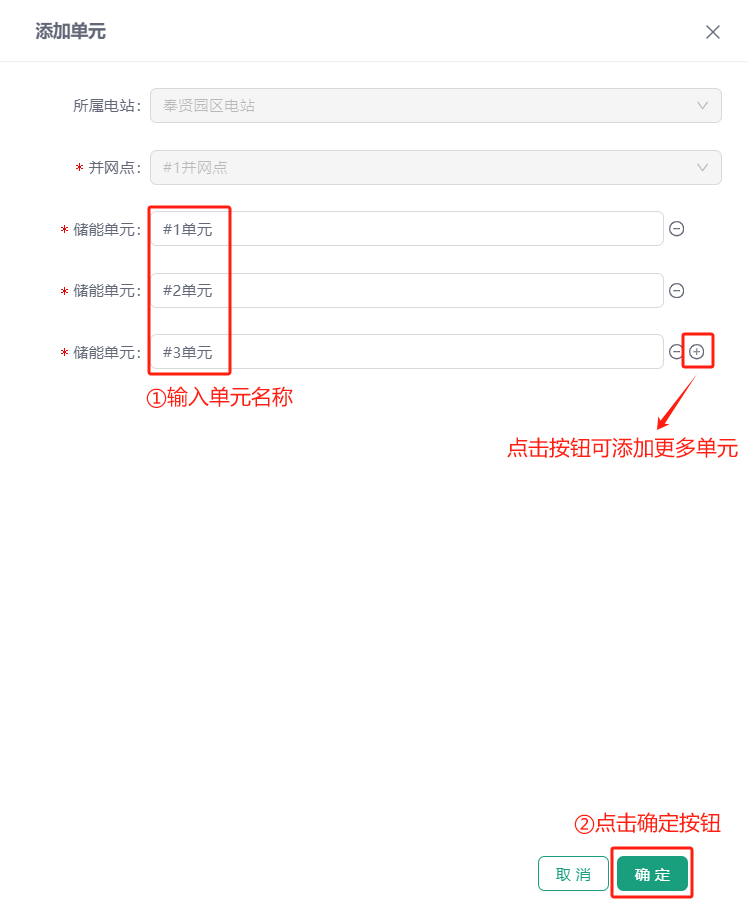
Place the mouse on the added grid connection point, and the page will automatically display the icon. Click the icon to add a unit. In the "Add Unit" page, enter the name of the unit to be added. Three units are added in batch by default. Click  to delete a unit, click
  to continue adding multiple units. You can choose according to your needs. After entering, click the "Confirm" button to complete the unit addition. As shown in the figure:
Add Device
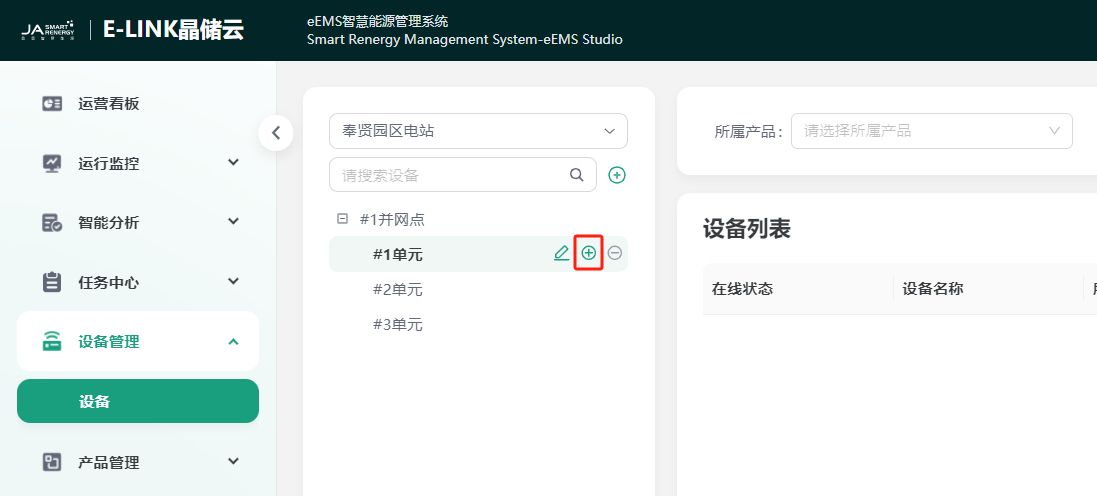
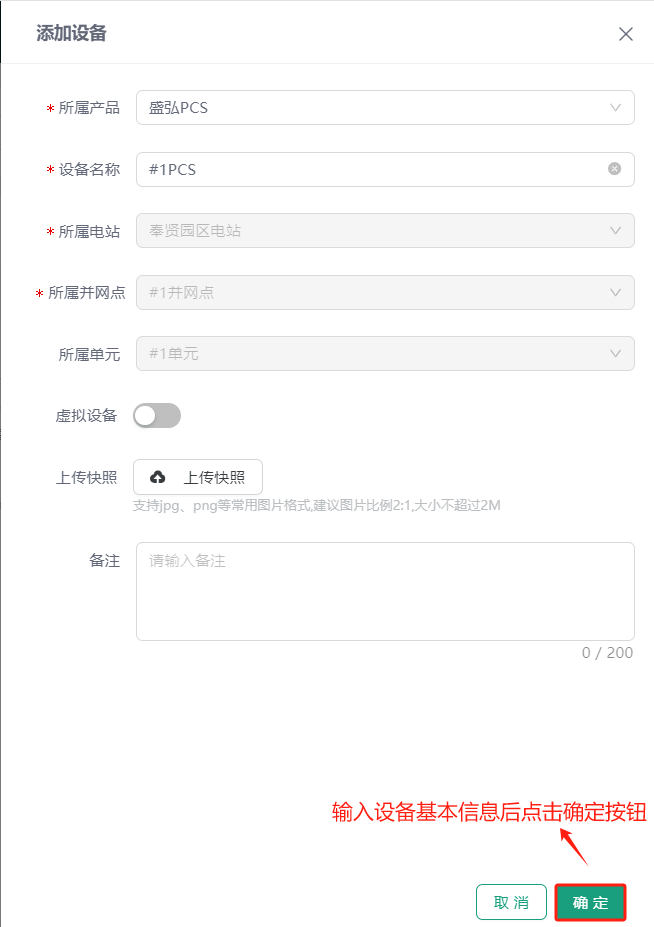
Place the mouse on the added grid connection point or unit, and the page will automatically display the icon. Click the icon to add a device. In the "Add Device" page, select the product to which the device belongs, device name, grid connection point, unit, device snapshot, and remark. After entering, click the "Confirm" button to complete the device addition. As shown in the figure:
Please repeat the above steps to add station devices according to the actual situation of the station.