How to create a product
A product refers to a collection of devices that use the same access protocol and device protocol and have the same data and function definitions.
Add Product
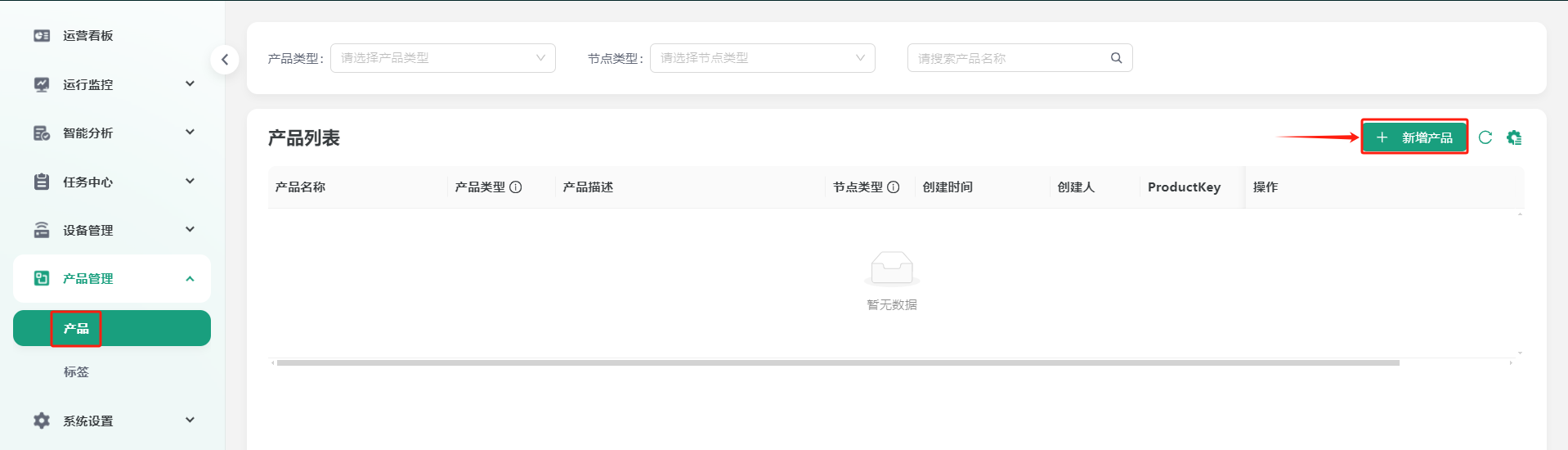
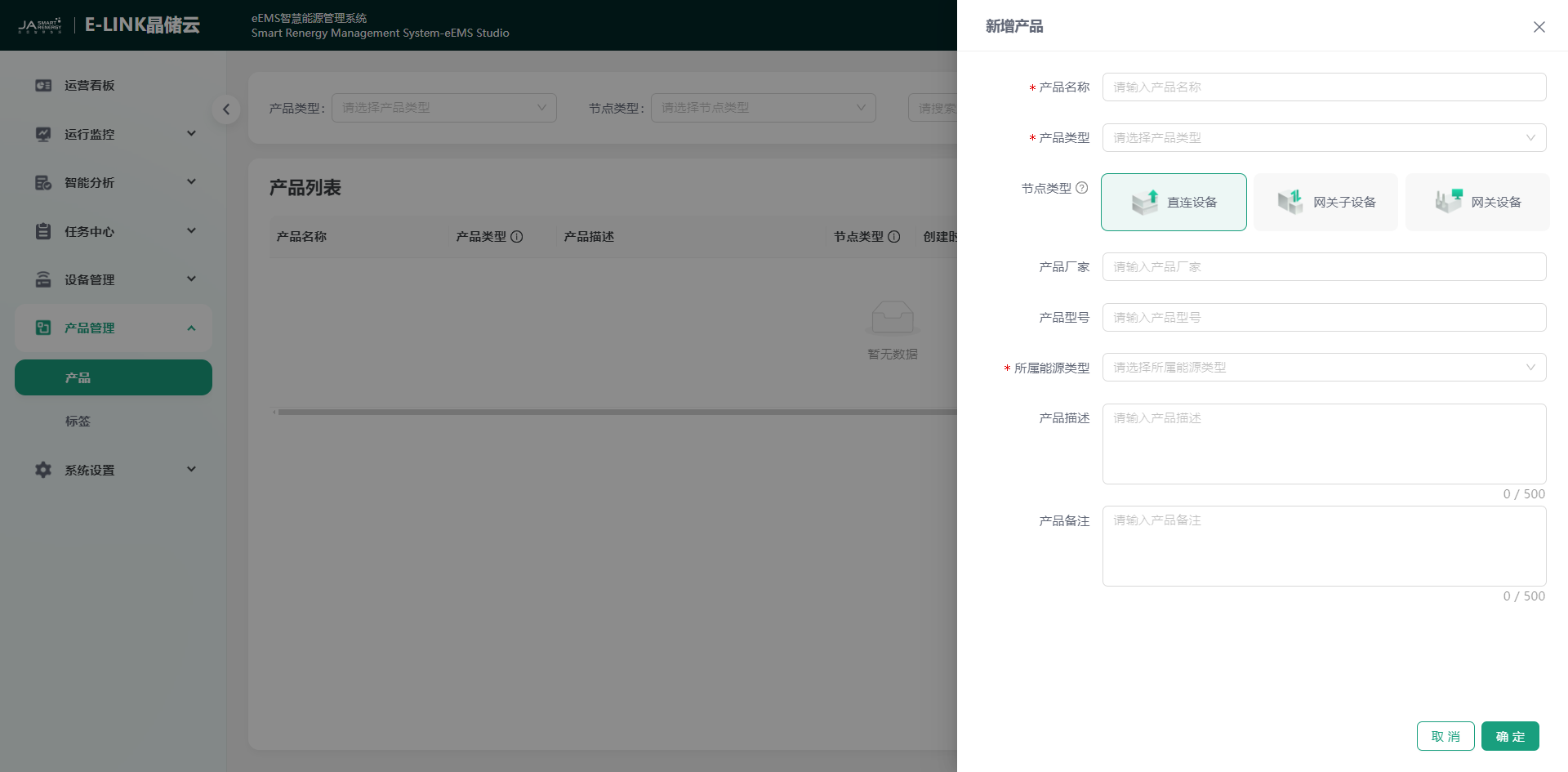
You can click "Product Management" -> "Product" -> "Add Product" step by step to enter the add product page. Please perfect the product information according to the prompts: product name, product type, node type, product manufacturer, product model, energy type, product description, product remark. The items with asterisks are required, and the more perfect the other information is filled in, the more conducive it is to your product management.
| Parameter Name | Description |
|---|---|
| *Product Name | Enter product name |
| *Product Type | Click the  icon to select the corresponding product type icon to select the corresponding product type |
| *Node Type | Click to select node type |
| Product Manufacturer | Enter product manufacturer |
| Product Model | Enter product model |
| *Energy Type | Click to select the energy type |
| Product Description | Enter product description, limited to 500 characters |
| Product Remark | Enter product remark, limited to 500 characters |
Add Product Measurement Point
Direct Add
Select the corresponding product in the product list, click "View" in the operation column to enter the product information page, click "Thing Model" -> "Add" to enter the add measurement point page. Please perfect the measurement point information according to the prompts: function name, identifier, measurement point source, measurement point allocation. Different measurement point allocations have different items to be filled in. Please select the correct measurement point allocation according to the actual situation.
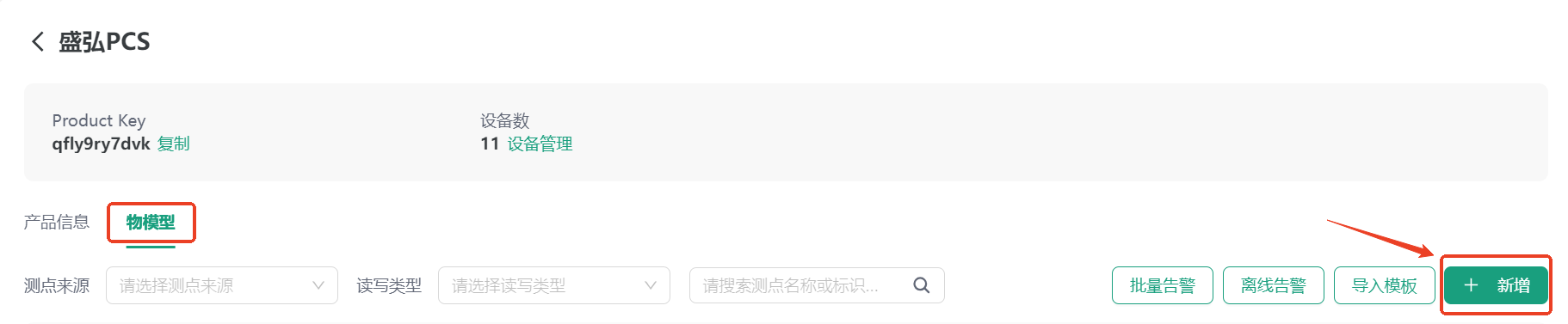
Measurement point information description is as follows:
| Parameter Name | Description |
|---|---|
| *Measurement Point Name | Measurement point name |
| *Identifier | Fill in according to the input rules: start with lowercase letter + underscore or (and) number, and length ≤ 40 characters |
| *Measurement Point Source | Divided into physical measurement point/calculated measurement point/mapped measurement point |
| *Read/Write Type | Divided into Read/Write/Read/Write |
| *Measurement Point Type | Divided into Telemetry/Remote Signal |
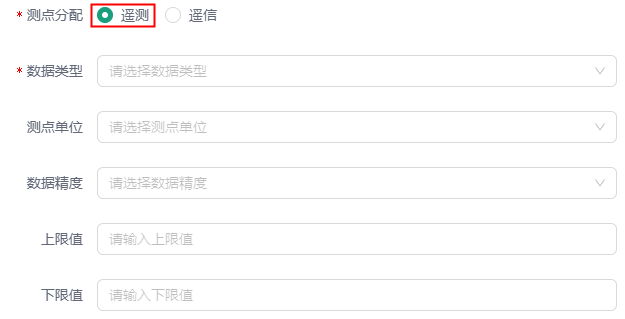
| *Data Type | Divided into Integer/Float/String, required only when the measurement point type is Telemetry |
| Measurement Point Unit | Click the drop-down box to select, leave blank if none |
| Upper/Lower Limit | Upper and lower limit values of measurement point data, range prompt when acting on device control measurement points after filling in |
| Measurement Point Description | Enter measurement point description, limited to 200 characters |
Physical Measurement Point: Configure formulas based on its own measurement points only, such as magnification, etc.
Calculated Measurement Point: Perform secondary calculation based on other ordinary measurement points of this product, such as needing to obtain the whole station SOC data
Mapped Measurement Point: Non-mapped measurement points introduced from other devices
When Telemetry is selected for measurement point allocation, information such as measurement point data type (required), measurement point unit (empty if none), data accuracy, upper and lower limits, etc. need to be filled in, as shown:
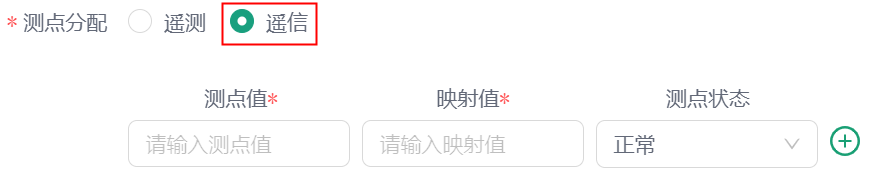
When Remote Signal is selected for measurement point allocation, information such as measurement point value, corresponding mapping value, measurement point status, etc. need to be filled in, as shown:
Batch Add
Open a product - "Thing Model" page.
Click the "Import Template" button.
Click "Download Import Template" to download the template table for filling in measurement point information.
Select or drag the table file and upload it to the system to complete the batch addition of measurement points.