Quick Start
Login System
Introduces the steps to log in to the JA Solar Nebula Cloud Platform.
Prerequisites
Successfully obtained account and password.
The JA Solar Nebula Cloud Platform is running normally, and the network between the computer and the server is normal.
Operation Steps
Enter the specified URL https://www.janebula.com in the browser address bar to jump to the homepage of the JA Solar Nebula Cloud Platform.
Click "Enter System" to enter the login page of the JA Solar Nebula Cloud Platform.
In the account password login dialog box, enter the account and password.
View the "Privacy Policy" and check "I have read and agree to the 'Privacy Policy'".
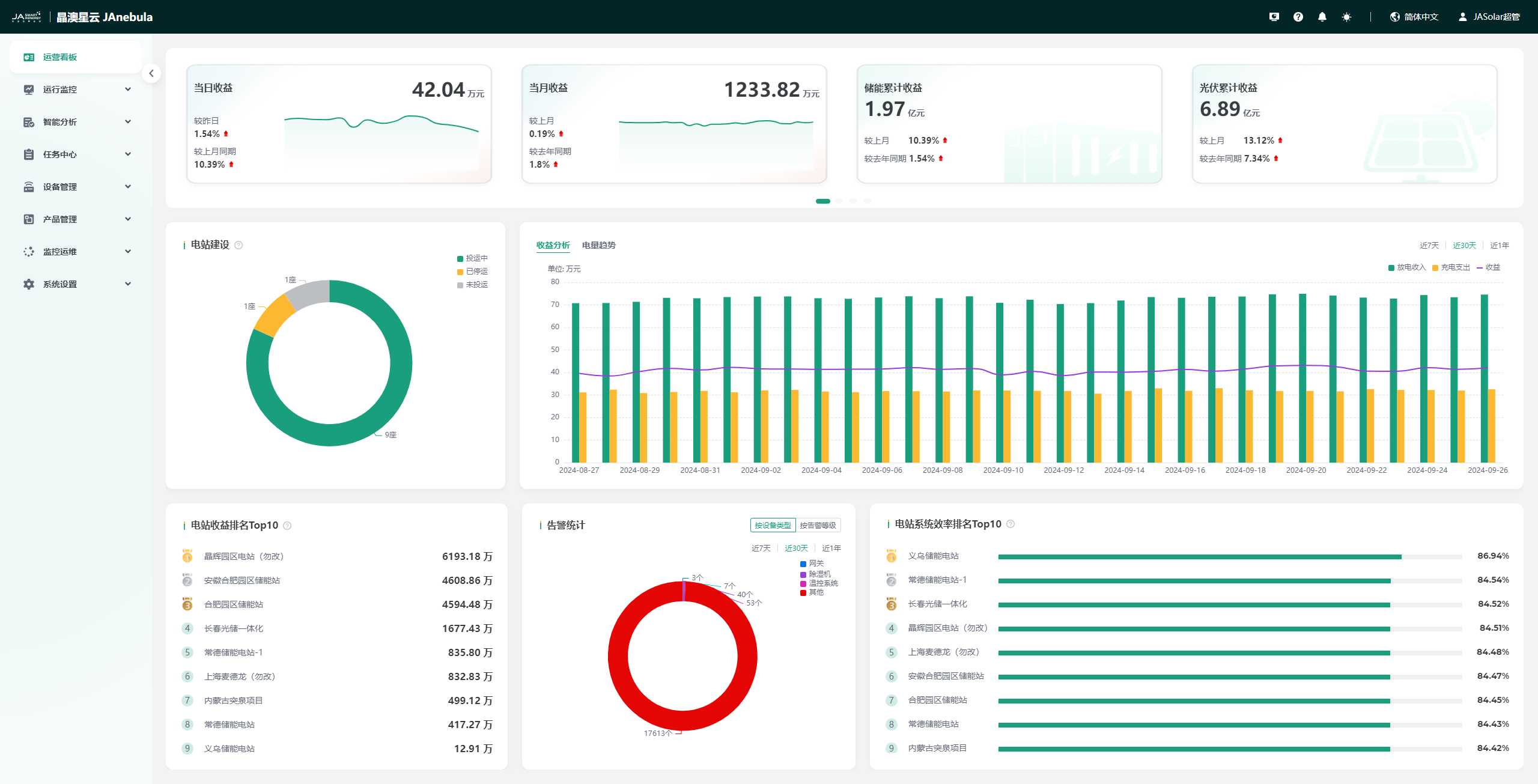
Click the "Login" button to log in. After logging in, the page jumps to the operation dashboard page.
Add Station
Enter Add Station Page
After logging in, click "Run Monitor" → "Station" → "Add Station" step by step to enter the add station page, as shown below:

Perfect Station Information
Station information includes four parts: basic information, system information, owner information, and station authorization.
Station Basic Information
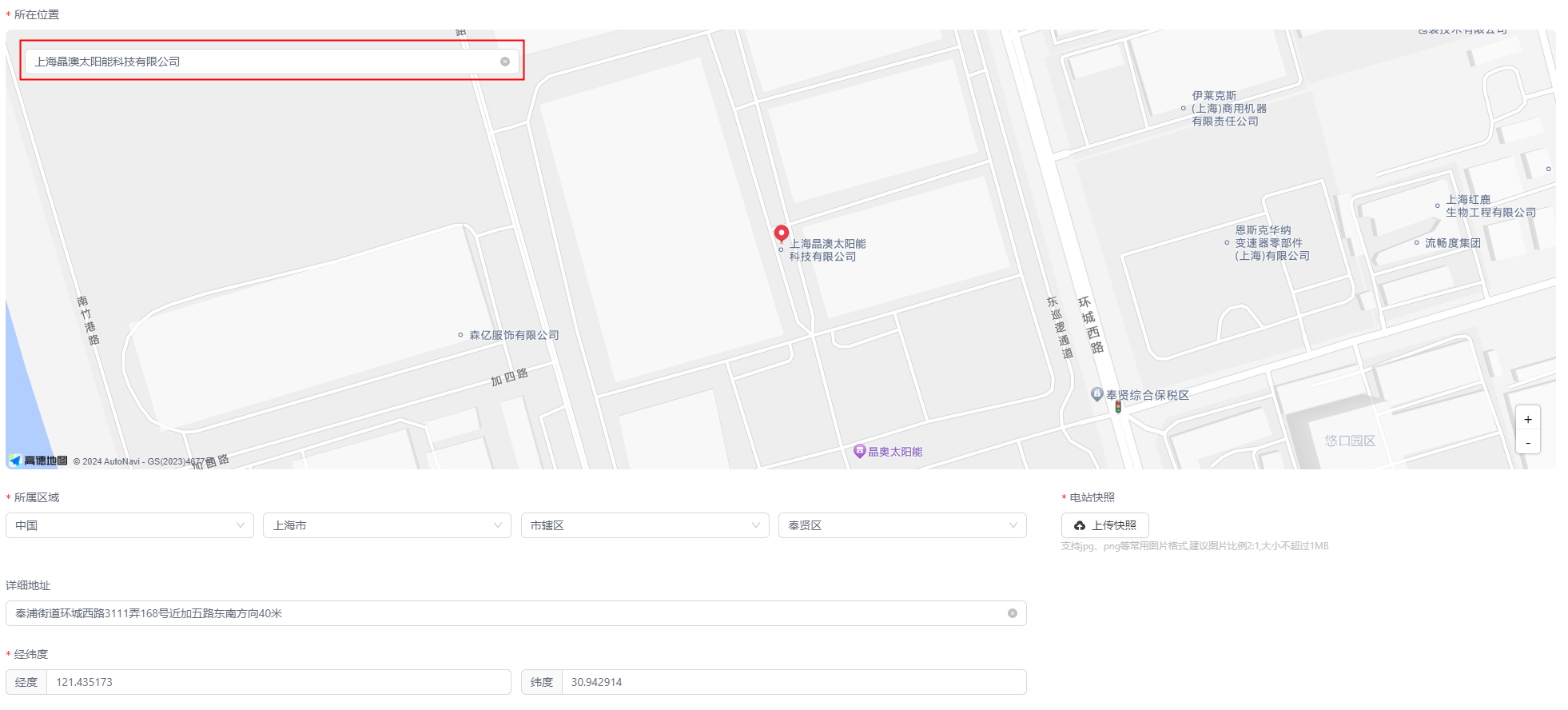
Please perfect the basic information of the station according to the prompts: station name, station abbreviation, location, region, detailed address, latitude and longitude, station snapshot, station time zone, station commissioning time, station construction time, station commissioning status. The items with asterisks are required, and the more perfect the other information is filled in, the more conducive it is to your management of the station.
| Parameter Name | Description |
|---|---|
| *Station Name | Name of the station |
| Station Abbreviation | Abbreviation of the station |
| *Station Snapshot | Click the "Upload Snapshot" button to select the station picture to upload |
| *Station Time Zone | Click the  icon to select the time zone where the station is located icon to select the time zone where the station is located |
| *Station Commissioning Time | Click the  button to select the station commissioning time button to select the station commissioning time |
| *Construction Time | Click the button to select the station construction time |
| *Station Commissioning Status | Click the icon to select the station commissioning status |
As shown in the figure, in the "Location" field, you can search for the location of the station to be created, and the system will automatically match the region, detailed address, and latitude and longitude information for you.
Perfect System Information
Please perfect the station system information according to the actual situation of the station you want to create: station type, system architecture (automatically switched according to the station type, cannot be selected by yourself), energy storage/PV system information. The items with asterisks are required.
Note: The items to be filled in for different station types are inconsistent. Please select the correct system type according to the actual situation.
Perfect Owner Information
Please perfect the owner information according to the prompts: station owner, contact person, contact information, email, installer, installer mobile phone number, operator. The items with asterisks are required.
Perfect Station Authorization Information
You can choose whether to enable the station authorization function. It is enabled by default. Click the organization drop-down box to select the authorized organization, thereby completing the station authorization, which is convenient for the viewing of the end users of the corresponding organization.
Complete Creation
After all information is entered, click the "Confirm" button to complete the station creation, and the page will automatically jump to the station list page.
Create Product
A product refers to a collection of devices that use the same access protocol and device protocol and have the same data and function definitions.
Create Product
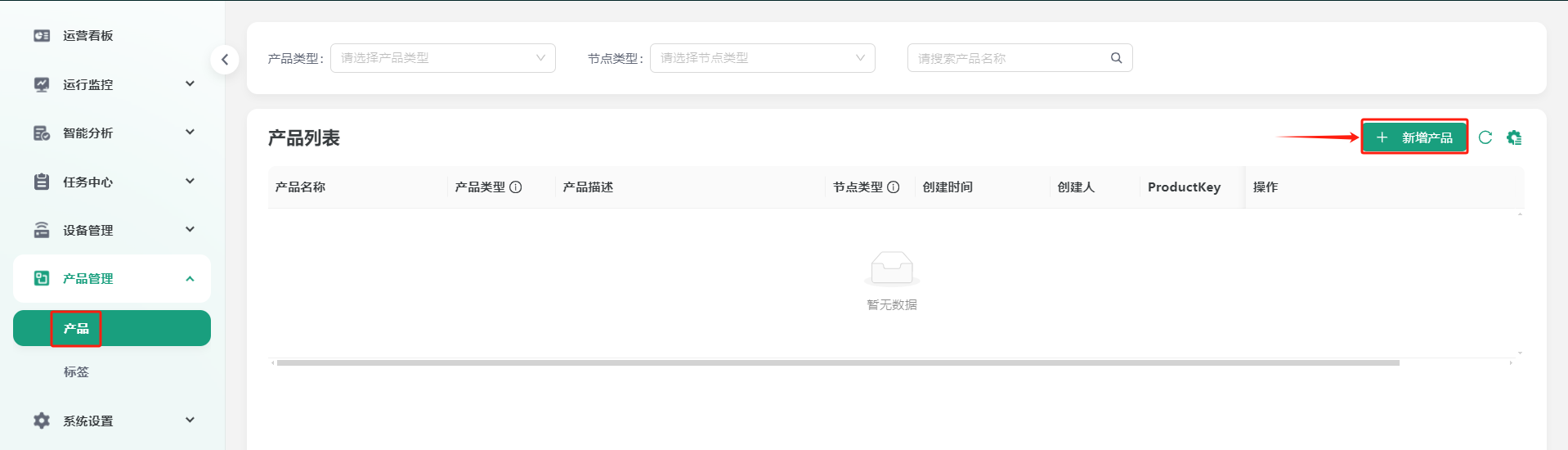
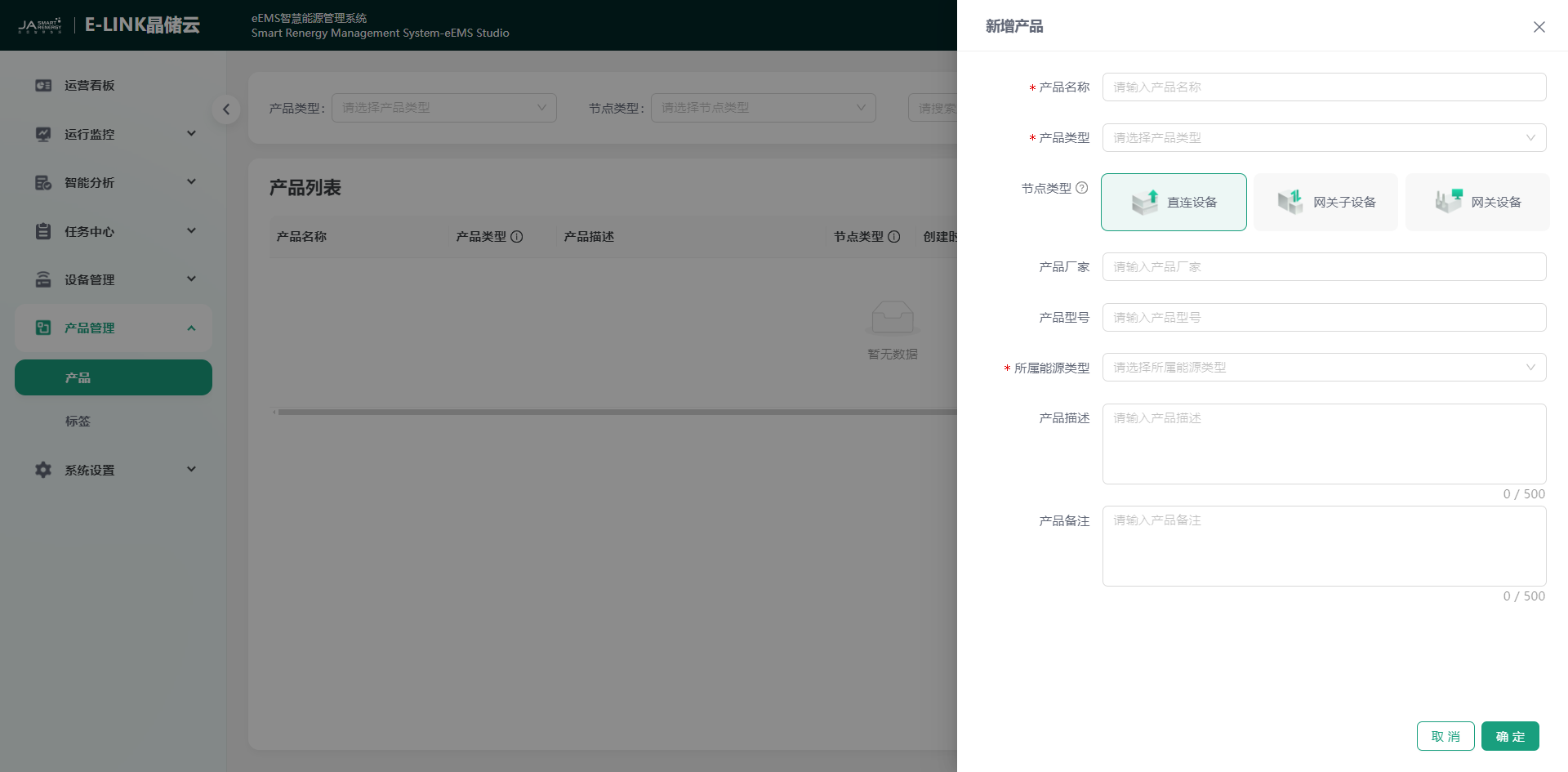
You can click "Product Management" → "Product" → "Add Product" step by step to enter the add product page. Please perfect the product information according to the prompts: product name, product type, node type, product manufacturer, product model, energy type, product description, product remark. The items with asterisks are required, and the more perfect the other information is filled in, the more conducive it is to your product management.
| Parameter Name | Description |
|---|---|
| *Product Name | Enter product name |
| *Product Type | Click the icon to select the corresponding product type |
| *Node Type | Click directly with the mouse to select the node type |
| Product Manufacturer | Enter product manufacturer |
| Product Model | Enter product model |
| *Energy Type | Click to select the energy type |
| Product Description | Enter product description, limited to 500 characters |
| Product Remark | Enter product remark, limited to 500 characters |