How to configure electricity price
Add Price Plan
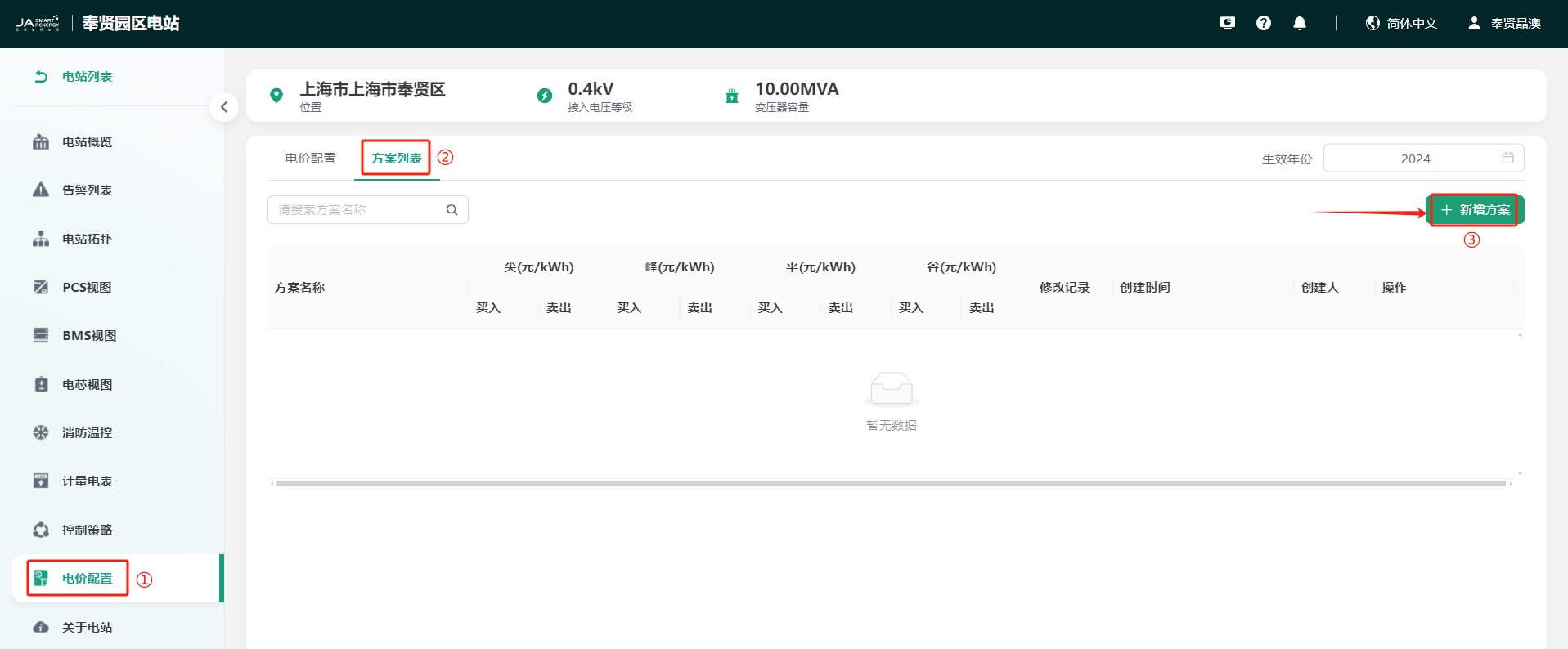
You can click "Run Monitor" -> "Station" step by step to enter the station navigation page, select the station you created, click to enter the station overview page, click "Price Configuration" -> "Plan List" -> "Add Plan" to enter the add plan page. As shown below:
Fill in Plan Information
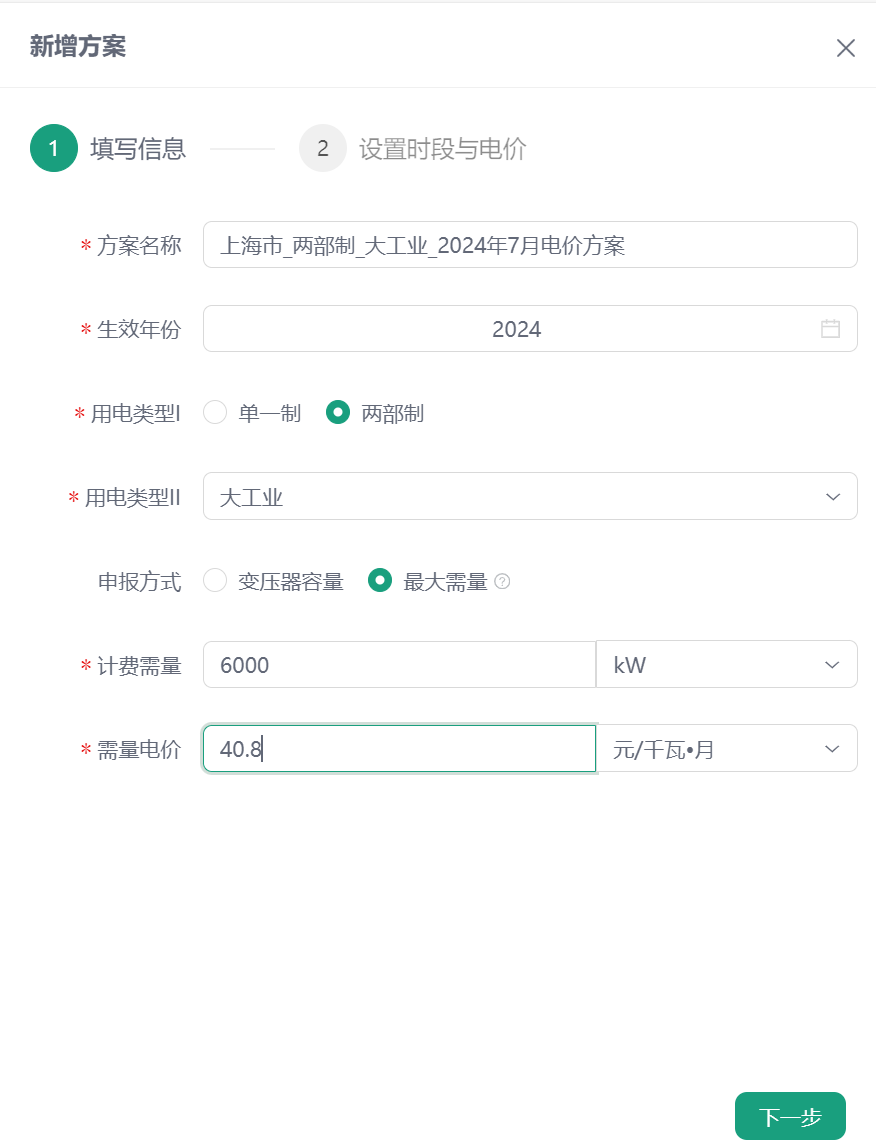
Please perfect the electricity price plan information according to the electricity price details of the station location: plan name, effective year, electricity consumption type I, electricity consumption type II. Select different electricity consumption types, the items to be filled in are inconsistent. Please select the correct electricity consumption type according to the actual situation, as shown:
Set Time Period and Price
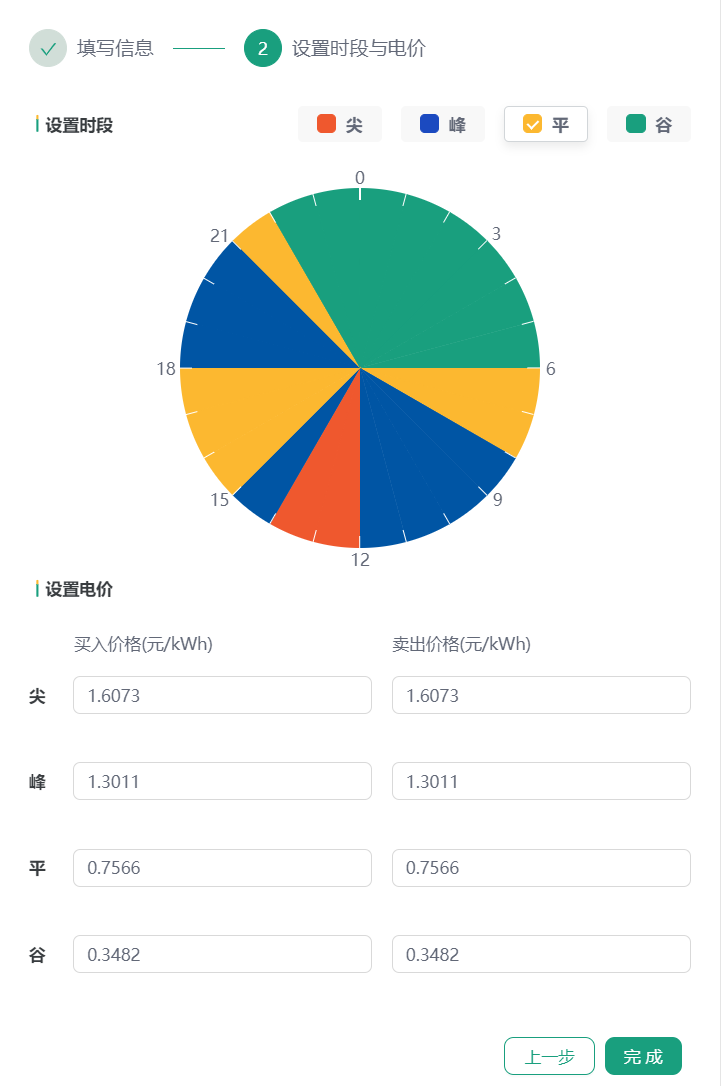
You can configure the tip, peak, flat, and valley periods by selecting the corresponding colors of tip, peak, flat, and valley and clicking the dial. After configuration, fill in the electricity price information in the set electricity price section according to the actual situation. As shown below, after the configuration is completed, click the finish button to complete the addition of the electricity price plan.
Bind Price Plan
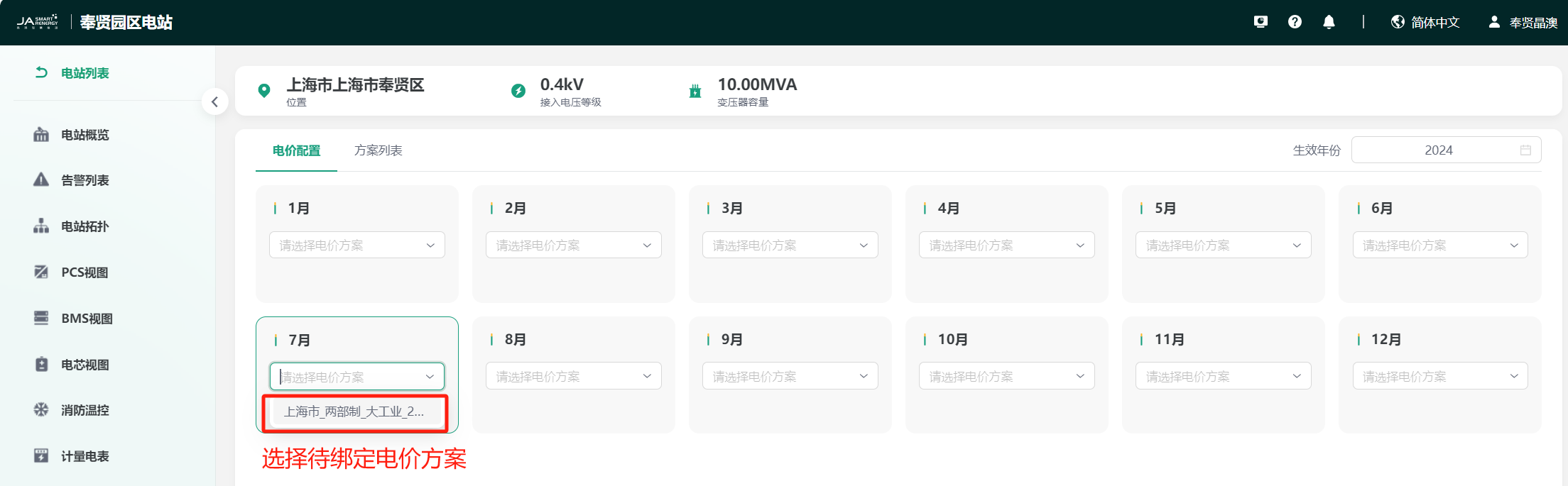
You can select the month in the "Price Configuration" page to bind the electricity price plan. As shown below, select a month, click the drop-down box to select the electricity price plan you configured, and complete the binding of the electricity price plan.